
Your Daily Dose of
Stunning Wallpapers.
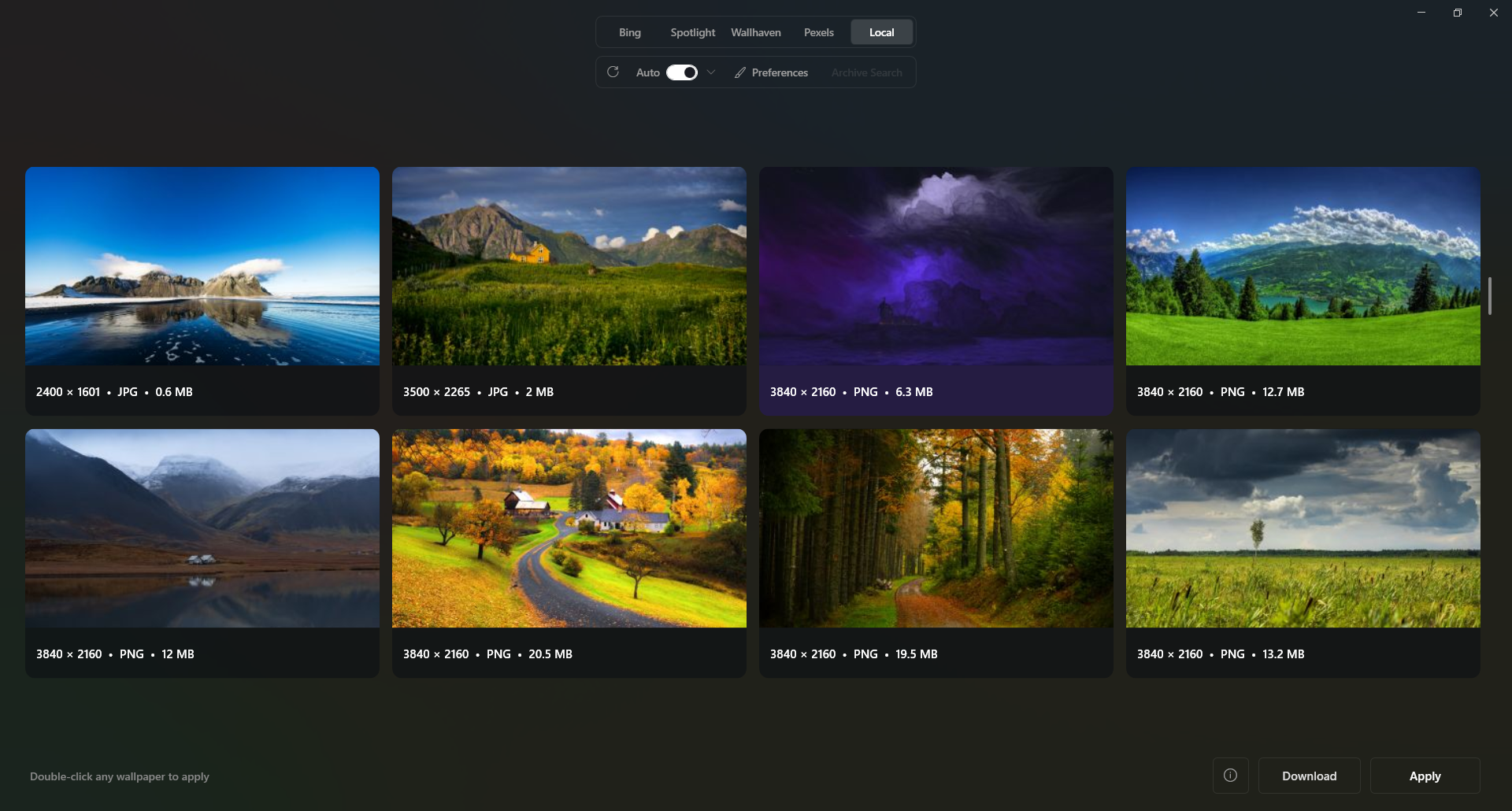
Curated daily wallpapers from Bing, Windows Spotlight, Wallhaven, and Pexels.
No background daemon.
Just Windows Task Scheduler.
A wallpaper switcher has no business idling in your system tray all day. AutoScape configures a standard user-level scheduled task and hands the job over to Windows.
Pick your feeds
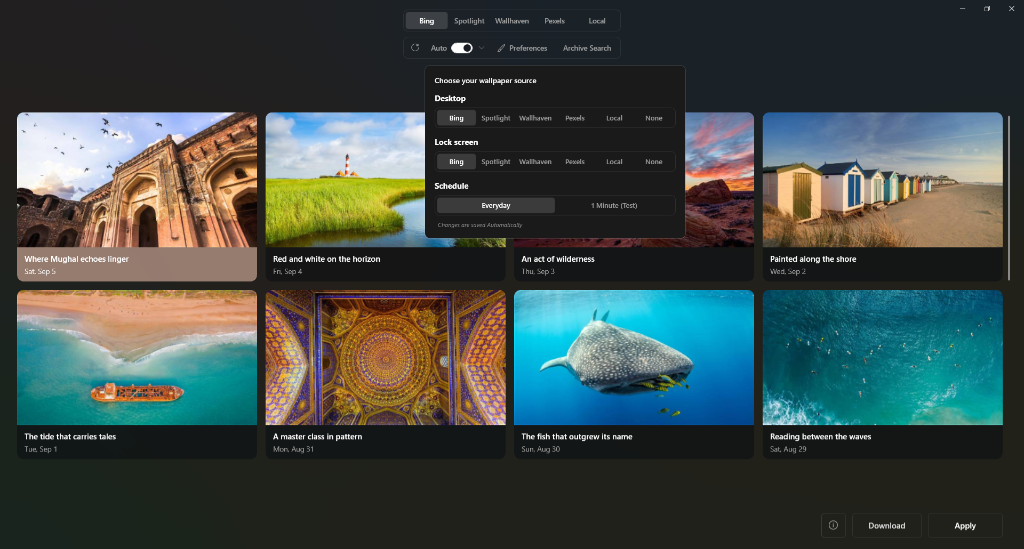
Choose Bing 4K, Windows Spotlight, Wallhaven Nature, or Pexels. Assign them independently to your Desktop and Lock Screen.
Choose a cadence
Turn Auto on and pick On Login, Hourly, Every 6 Hours, or Daily at midnight. AutoScape registers one clean user task automatically.
Close the window
Quit AutoScape completely. When the clock hits your interval, Windows runs a silent ~1-second update and exits immediately.
Built for people who check Task Manager.
Plain local config files, full-resolution exports, and native WPF rendering—without accounts, subscriptions, or Electron bloat.
True 0 MB idle footprint
Nothing lingers in RAM after you close the app. Your memory stays free for browsers, games, or builds.
Four 4K wallpaper feeds
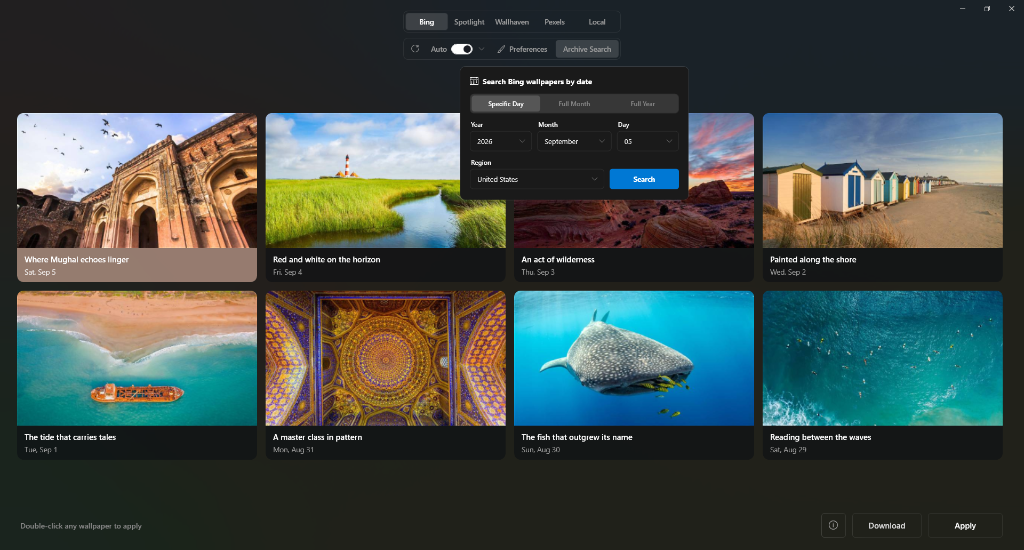
Switch freely between Bing Daily, Windows Spotlight archives, keyless Wallhaven SFW Nature, and curated Pexels landscapes.
Independent Desktop & Lock Screen
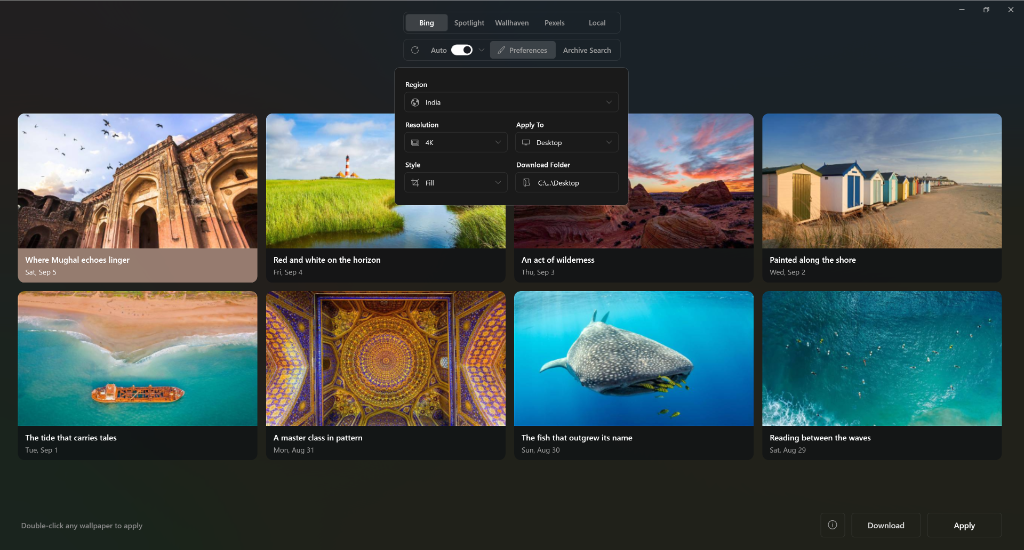
Send Wallhaven to your Desktop and Bing to your Lock Screen, with native Fill, Fit, Stretch, Center, or multi-monitor Span.
Local JSON, zero telemetry
Preferences and optional API keys live in a plain JSON file on disk. No login wall, no analytics, no background phone-home.
Uncompressed 4K downloads
Save any wallpaper you want to keep directly to your chosen folder at full resolution with photographer and copyright details preserved.
Native Windows UI
Built on WPF for Windows 10 and 11 (64-bit). Launches immediately and installs under %LOCALAPPDATA% without UAC prompts.
Native vs. Electron utilities.
A quick side-by-side on why skipping a bundled browser runtime makes a noticeable difference for a small desktop tool.
| Metric | AutoScape | Web / Electron wallpaper apps |
|---|---|---|
| Idle RAM | 0 MB — Windows Task Scheduler | 150–400 MB resident process |
| Runtime | Native WPF on built-in Windows components | Bundled Chromium renderer |
| Sources | Bing, Spotlight, Wallhaven, Pexels | Usually locked to a single feed |
| Lock Screen | Independent feed routing | Desktop wallpaper only |
| Accounts & data | Local JSON, no sign-in, no telemetry | Often requires login or analytics |
Common questions.
Everything is open source under the MIT license. You can read the install script and source code before running anything.
Open an issue on GitHub →irm ... | iex fetches install.ps1 straight from the public GitHub repository, unpacks AutoScape into your local AppData directory, and adds standard shortcuts. There is no obfuscation—you can inspect the script in the repo before running it.
%LOCALAPPDATA%. Updating your wallpaper and creating a per-user scheduled task requires zero UAC prompts.
%LOCALAPPDATA%\AutoScape folder.